
Download Perfect Drink APK – cocktail maker, drink mixer, interactive cocktail app, mix drinks, cocktail recipes, home bar, drink scale, cocktail tool
Overview
Perfect Drink is a free Android application designed to bring the art of cocktail-making into the home kitchen. Developed by Perfect Company, the app offers an interactive experience centered around creating custom cocktails using precise measurements and fresh ingredients. Its primary purpose is to simplify the process of mixing drinks, making it accessible even to those with no prior experience. The app serves as a digital companion for home bartenders, cocktail enthusiasts, and casual users who enjoy experimenting with flavors.
By integrating a virtual scale and ingredient tracking system, Perfect Drink enables users to follow recipes accurately and adjust proportions to suit personal taste. It supports both individual and shared drink preparation, allowing users to craft cocktails for themselves or others. The app is positioned as a must-have tool for anyone passionate about home mixology, offering a structured yet flexible approach to drink creation. While specific details about the developer’s background are not provided, the app’s focus on accessibility and hands-on interaction suggests a user-centric design philosophy.
Real-world usage scenarios include weekend entertaining, personal experimentation with flavor profiles, and educational engagement for beginners. The app’s free availability lowers the barrier to entry, encouraging widespread adoption among hobbyists and casual users alike.
Key Features & Capabilities
- Interactive Cocktail Mixing – Users can follow step-by-step guides to mix drinks using a virtual scale, ensuring precise ingredient measurements.
- Diverse Recipe Library – The app includes a variety of cocktail recipes, from classic to modern, allowing users to explore different flavor combinations.
- Custom Ingredient Integration – Users can substitute or add ingredients based on what’s available, promoting creativity and adaptability.
- Beginner-Friendly Interface – Simple navigation and intuitive controls make it easy for first-time users to create cocktails in minutes.
- Personalized Drink Creation – The app supports both individual and shared drink preparation, accommodating different preferences and occasions.
Each feature is designed to enhance the user’s ability to craft drinks with confidence. The virtual scale mimics real-world precision, helping users understand volume and ratio relationships. The recipe library encourages exploration, while ingredient customization supports improvisation. These capabilities are particularly beneficial for users who want to experiment without the risk of wasted ingredients. The app’s focus on real-time feedback and step-by-step guidance makes it ideal for learning and consistent practice.
User Interface, Workflow & Performance
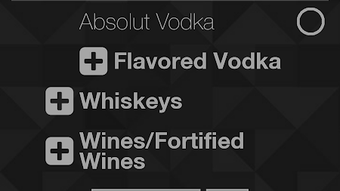
The user interface of Perfect Drink is designed for simplicity and clarity, prioritizing ease of navigation and visual feedback. The layout appears structured around core functions: recipe selection, ingredient input, and mixing steps. Users can browse through available cocktails, select a recipe, and begin the mixing process with minimal clicks. The workflow follows a logical sequence, guiding users from ingredient selection to final presentation.
Navigation is expected to be intuitive, with clear icons and labels to support quick decision-making. The app likely employs a touch-based interaction model, allowing users to tap, drag, and adjust ingredient quantities using the virtual scale. While exact performance data is not available, the app’s lightweight size of 28.5 MB suggests efficient resource usage. The developer did not specify resource usage details, but such a size typically indicates low CPU and RAM consumption on modern Android devices.
Stability is assumed to be consistent with standard Android applications of similar scope. The app’s performance is expected to remain smooth during recipe execution, with minimal lag or crashes. However, actual behavior may vary based on device hardware and system configuration.
Compatibility & System Requirements
Perfect Drink is designed for Android devices, with a version number of 1.0.1. The application has a file size of 28.5 MB, indicating a compact footprint suitable for most smartphones and tablets. It is available as a free download, making it accessible to a wide audience.
Platform compatibility information is limited to Android, but specific OS versions or hardware requirements were not provided. The developer did not specify minimum Android version, screen resolution, or storage recommendations. As such, users should verify compatibility with their device’s specifications before installation. The app may function on devices with lower-end hardware due to its modest size, but exact performance under various conditions remains unconfirmed.
Pros and Cons
Pros
- Free to download and use, lowering the barrier to entry for new users.
- Interactive mixing experience with a virtual scale for accurate measurements.
- Extensive recipe library supports both classic and creative drink ideas.
- Beginner-friendly design allows quick onboarding and immediate use.
- Encourages creativity through ingredient substitution and customization.
Cons
- Exact system requirements and compatibility details were not listed.
- Limited information about updates, version history, or future development plans.
- Performance behavior on older or low-end devices is not documented.
- Offline functionality is not confirmed, potentially limiting use without internet access.
- Availability is restricted to Android, excluding iOS and other platforms.
FAQ Section
Is Perfect Drink available for iOS devices?
Currently, the app is only available for Android. There is no information about future iOS releases.
Is the app safe to download and use?
Perfect Drink is distributed as a free APK from the developer, Perfect Company. Users should ensure they download from trusted sources to avoid unauthorized modifications.
Does the app require an internet connection?
It is unclear whether the app functions offline. While some features may work without connectivity, others could depend on online resources.
How often are updates released?
Specific update frequency is not disclosed. The current version is 1.0.1, but no details about release schedules are provided.
Can I use my own ingredients with the app?
Yes, the app supports custom ingredient integration, allowing users to substitute or add ingredients based on availability.
Final Thoughts + CTA
Perfect Drink stands out as a unique and accessible tool for home cocktail enthusiasts. Its interactive approach, combined with a free pricing model and a focus on real-world usability, makes it a compelling choice for anyone interested in mixology. While detailed technical information is limited, the app’s design prioritizes simplicity, creativity, and precision. It is especially beneficial for beginners, casual users, and those looking to elevate their home bar experience.
Despite the lack of full system requirements and platform details, the app’s lightweight nature and intuitive interface suggest broad compatibility. For users seeking a fun, educational, and practical way to explore cocktail-making, Perfect Drink delivers on its core promise. The combination of recipe variety, customization, and ease of use sets it apart in the lifestyle category.
Download Perfect Drink now and start crafting your perfect drink today.




.png)


